Install Elementary OS on Ubuntu Server with My Setup
Table of Contents
A detailed guide to installing Elementary OS (Pantheon) on Ubuntu Server 24.04, covering networking, gestures, Vietnamese IBus input, Nvidia drivers, Docker, Distrobox, and battery optimization.
A comprehensive guide to installing Elementary OS (Pantheon desktop) on Ubuntu Server 24.04, covering networking, gestures, Vietnamese IBus input, Nvidia drivers, Docker, Distrobox, and laptop battery optimization.
1. Pre-installation
- Ubuntu Server 24.04 ISO
- Stable Internet connection
2. Installation
2.1. Ubuntu Server
- Install Ubuntu Server 24.04 Minimal version
- Follow the install instructions
2.2. Elementary OS PPA
After booting into the Ubuntu terminal:
sudo add-apt-repository ppa:elementary-os/stable
sudo apt update
sudo apt install elementary-desktop
Enter LightDM:
sudo service lightdm restart3. Post-installation — Settings
3.1. Networking
ElementaryOS (like other distros) uses NetworkManager. To make netplan use it:
sudo nano /etc/netplan/50-cloud-init.yamlnetwork:
ethernets: {}
version: 2
renderer: NetworkManager # ← Add this linesudo netplan apply3.2. Multi-touch gestures
Touchegg is not installed by default:
sudo add-apt-repository ppa:touchegg/stable
sudo apt install touchegg
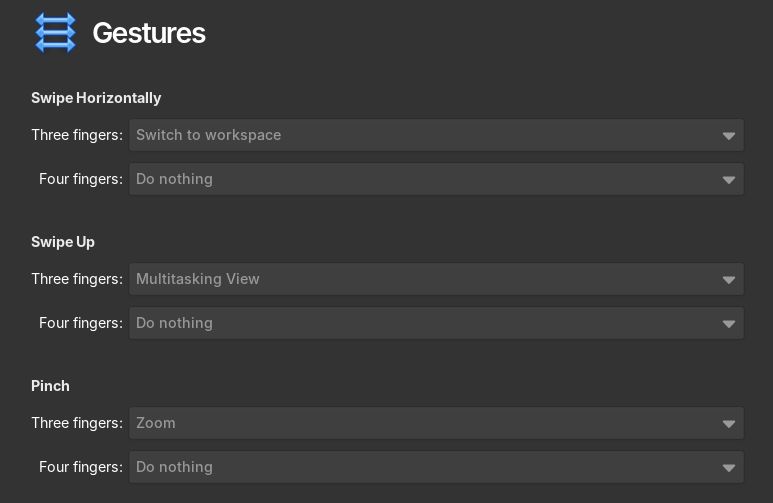
Reboot, then customize in Settings → Mouse & Touchpad → Gestures.
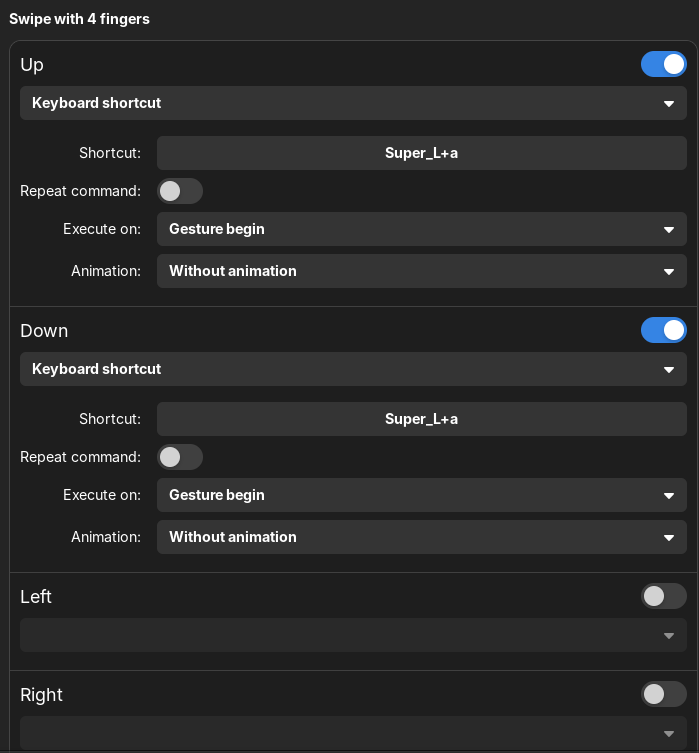
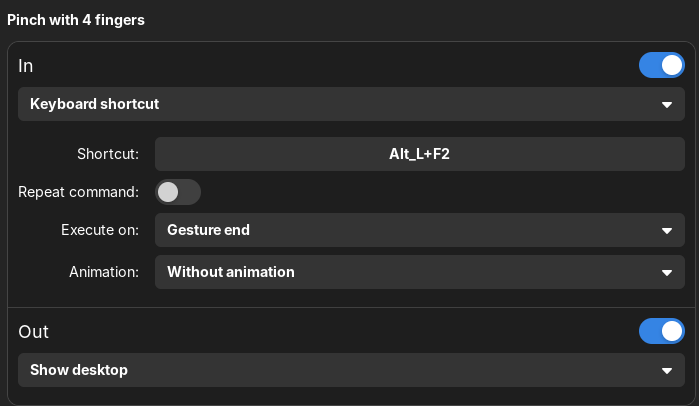
Install Touche from AppCenter to customize gestures:
3.3. Disable network-wait service
Ubuntu Server waits for network before starting the desktop:
sudo systemctl disable systemd-networkd-wait-online.service
sudo systemctl mask systemd-networkd-wait-online.service
3.4. Pantheon-tweak
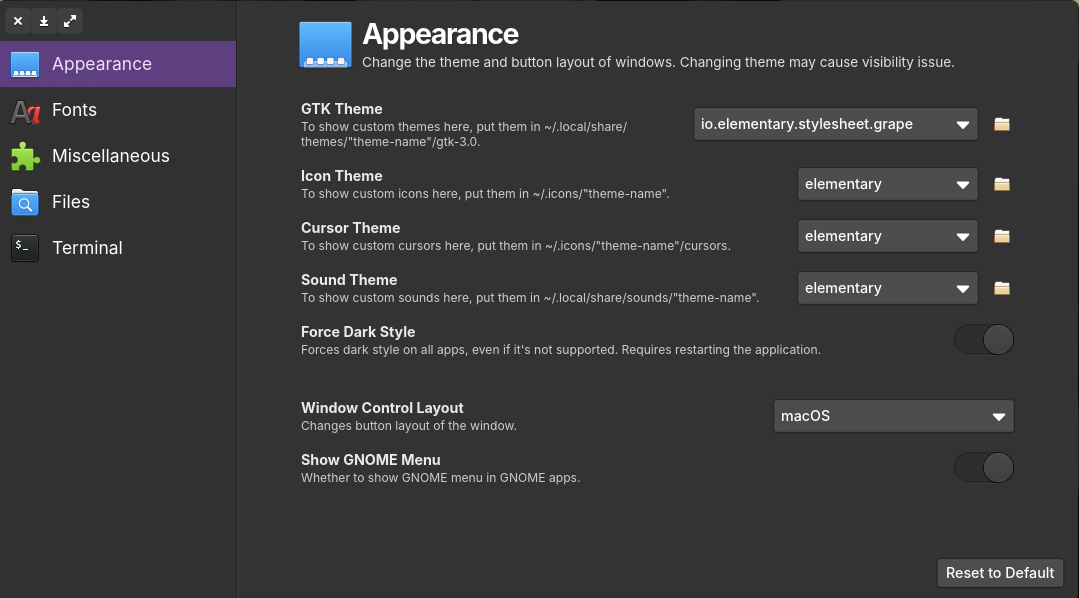
Install pantheon-tweak from Flatpak/AppCenter to customize desktop fonts:
3.5. IBus and Vietnamese input
Elementary OS has poor IBus integration compared to GNOME. Workaround:
- Install your favorite engine (I chose Bamboo):
sudo add-apt-repository ppa:bamboo-engine/ibus-bamboo
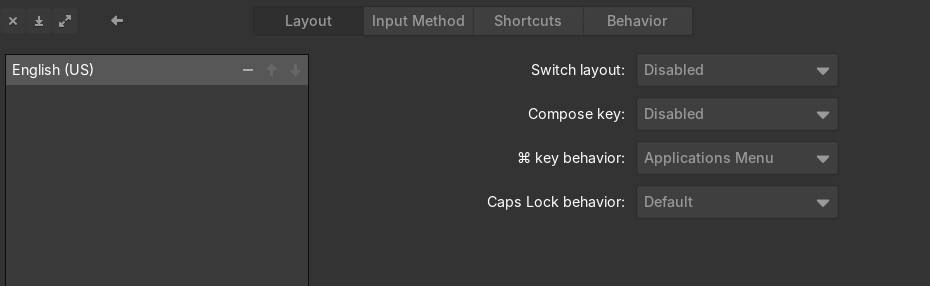
sudo apt install ibus-bamboo- Go to Settings → Keyboard, ensure only English (US) layout:
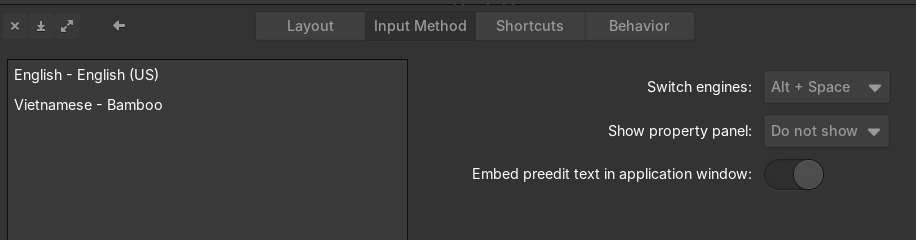
- In Input Method, add Bamboo and customize the shortcut:
- Ensure Keyboard Layout is English (US):
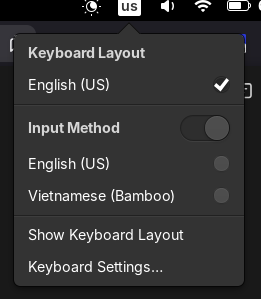
- Press Alt + Space to switch. However, Wingpanel (Pantheon's top panel) doesn't show a status indicator, so you can't tell which input method is active 😞
3.6. Nvidia Driver (optional)
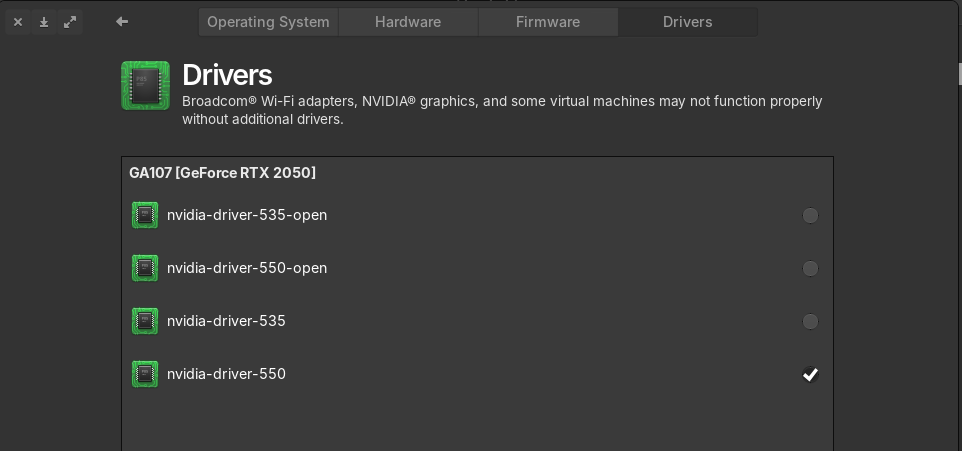
Go to Settings → System → Driver to install:
4. Post-installation — System
4.1. SSD optimization
Daily TRIM, zswap, Firefox SSD wear reduction:
https://easylinuxtipsproject.blogspot.com/p/ssd.html#ID6
4.2. Increase swapfile
sudo swapoff /swap.img
sudo rm /swap.img
sudo fallocate -l 8G /swap.img
sudo chmod 600 /swap.img
sudo mkswap /swap.img
sudo swapon /swap.img
4.3. Clock sync for dual-booting Windows
timedatectl set-local-rtc 15. Post-installation — Apps
5.1. Pacstall
Pacstall is AUR for Ubuntu:
sudo bash -c "$(curl -fsSL https://pacstall.dev/q/install)"
pacstall -I zen-browser-bin lm-studio-app osu-lazer-app fastfetch-git
5.2. Python virtualenv — uv (Astral)
curl -LsSf https://astral.sh/uv/install.sh | sh
uv venv
uv add <package-names>...
5.3. oh-my-zsh
sudo apt install git zsh zsh-autosuggestions
git clone https://github.com/zsh-users/zsh-autosuggestions \
  ${ZSH_CUSTOM:-~/.oh-my-zsh/custom}/plugins/zsh-autosuggestions
sh -c "$(curl -fsSL https://raw.githubusercontent.com/ohmyzsh/ohmyzsh/master/tools/install.sh)"
~/.zshrc config:
ZSH_THEME="candy-kali"
ZSH_CUSTOM=~/.zsh-custom
plugins=(git zsh-autosuggestions vscode)

if [ -d "$HOME/.local/bin" ] ; then
    PATH="$HOME/.local/bin:$PATH"
fi

alias dockps='docker ps --format "{{.ID}}  {{.Names}}"'
docksh() { docker exec -it $1 $2; }
5.4. Docker and Distrobox
# Remove conflicting packages
for pkg in docker.io docker-doc docker-compose docker-compose-v2 podman-docker containerd runc; do
  sudo apt-get remove $pkg
done

# Install Docker
sudo apt-get install ca-certificates curl
sudo install -m 0755 -d /etc/apt/keyrings
sudo curl -fsSL https://download.docker.com/linux/ubuntu/gpg -o /etc/apt/keyrings/docker.asc
sudo chmod a+r /etc/apt/keyrings/docker.asc
echo \
  "deb [arch=$(dpkg --print-architecture) signed-by=/etc/apt/keyrings/docker.asc] https://download.docker.com/linux/ubuntu \
  $(. /etc/os-release && echo "${UBUNTU_CODENAME:-$VERSION_CODENAME}") stable" | \
  sudo tee /etc/apt/sources.list.d/docker.list > /dev/null
sudo apt update
sudo apt-get install docker-ce docker-ce-cli containerd.io docker-buildx-plugin docker-compose-plugin
Distrobox and Kali Linux:
curl -s https://raw.githubusercontent.com/89luca89/distrobox/main/install | sudo sh
distrobox create --name kali --image docker.io/kalilinux/kali-rolling:latest
distrobox enter kali
5.5. Battery optimization
Powertop:
sudo apt install powertopCreate /etc/systemd/system/powertop.service:
[Unit]
Description=Powertop tunings

[Service]
Type=oneshot
RemainAfterExit=yes
ExecStart=/usr/sbin/powertop --auto-tune
ExecStartPost=/bin/sh -c 'for f in $(grep -l "Mouse" /sys/bus/usb/devices/*/product | sed "s/product/power\\/control/"); do echo on >| "$f"; done'

[Install]
WantedBy=multi-user.target
Auto-CPU-freq:
git clone https://github.com/AdnanHodzic/auto-cpufreq.git
cd auto-cpufreq && sudo ./auto-cpufreq-installer
sudo auto-cpufreq-gtk
echo 'eval "$(_AUTO_CPUFREQ_COMPLETE=zsh_source auto-cpufreq)"' >> ~/.zshrc