Install KDE Plasma with macOS Theme
Table of Contents
A guide to theming KDE Plasma 6 to look like macOS, covering GTK, Kvantum, icons, cursors, Albert launcher, oh-my-posh for Konsole, and Firefox theme.
A guide to theming KDE Plasma 6 to look like macOS, covering GTK, Kvantum, icons, cursors, Albert launcher, oh-my-posh for Konsole, and Firefox theme. Thanks to LinuxScoop for the tutorial!
Reference: https://www.youtube.com/watch?v=tYIGBGyLGRs
1. Download configurations
Go to https://www.pling.com/p/2229017/ and download all packages.
2. Extract and install
Assuming all downloaded files are in ~/Downloads:
sudo apt install curl wget rsync git nautilus sassc kvantum
unzip -o $HOME/Downloads/plasma6macos-plasma-theme.zip -d $HOME/
unzip -o $HOME/Downloads/plasma6macos-gtk-theme-config.zip -d $HOME/
ln -sf $HOME/.config/gtk-4.0/gtk-Dark.css $HOME/.config/gtk-4.0/gtk.css
unzip -o $HOME/Downloads/plasma6macos-kvantum-config.zip -d $HOME/
unzip -o $HOME/Downloads/plasma6macos-icon-packs.zip -d $HOME/
unzip -o $HOME/Downloads/plasma6macos-cursors.zip -d $HOME/
unzip -o $HOME/Downloads/plasma6macos-font-packs.zip -d $HOME/
unzip -o $HOME/Downloads/plasma6macos-wallpaper-packs.zip -d $HOME/
unzip -o $HOME/Downloads/plasma6macos-plasmoids-widget.zip -d $HOME/
unzip -o $HOME/Downloads/plasma6macos-kwin-effect.zip -d $HOME/
Build kwin-effects-forceblur:
git clone https://github.com/taj-ny/kwin-effects-forceblur
cd kwin-effects-forceblur
mkdir build && cd build
cmake ../ -DCMAKE_INSTALL_PREFIX=/usr
make -j
sudo make install
System configuration:
sudo unzip -o $HOME/Downloads/plasma6macos-sddm-config.zip -d /
sudo apt install plymouth
sudo unzip -o $HOME/Downloads/plasma6macos-plymouth-config.zip -d /
sudo update-alternatives --config default.plymouth  # Choose MacOS
KDE configuration:
kquitapp6 plasmashell
unzip -o $HOME/Downloads/plasma6macos-kde-config.zip -d $HOME
kstart plasmashell &> /dev/null &
Install Albert Launcher:
sudo apt install ./albert_0.27.8-0+694.1_amd64.deb
unzip -o plasma6macos-albertlauncher-config.zip -d ~/
unzip -o plasma6macos-albertlauncher-theme.zip -d ~/
sudo unzip -o plasma6macos-albertlauncher-theme.zip -d /
Reboot and you're done!
Final result:
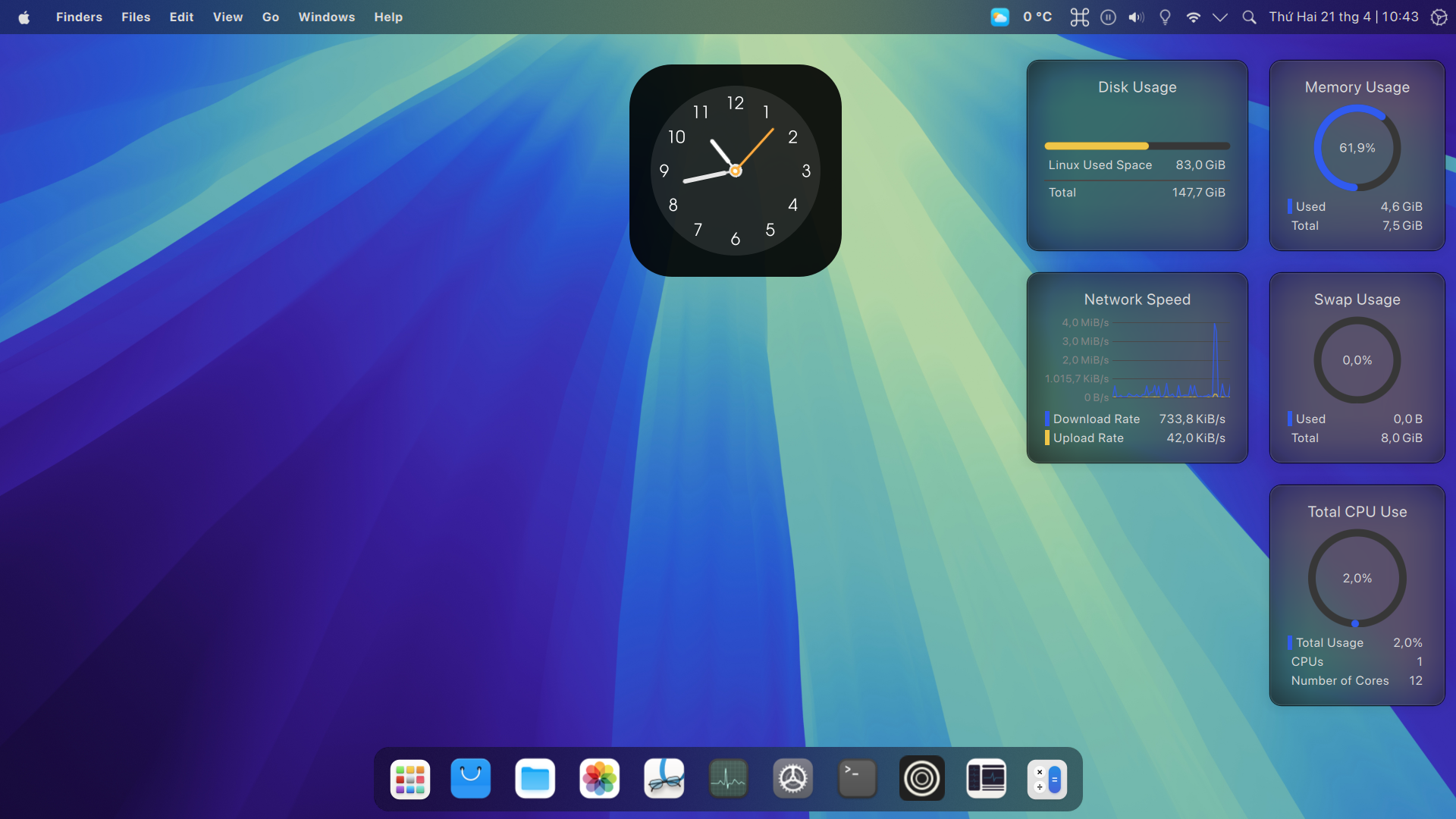
3. Bonus
ZSH and Oh-my-posh for Konsole
sh -c "$(curl -fsSL https://raw.githubusercontent.com/ohmyzsh/ohmyzsh/master/tools/install.sh)"
git clone https://github.com/zsh-users/zsh-autosuggestions ~/.oh-my-zsh/custom/plugins/zsh-autosuggestions
git clone https://github.com/zsh-users/zsh-syntax-highlighting ~/.oh-my-zsh/custom/plugins/zsh-syntax-highlighting
git clone https://github.com/zsh-users/zsh-history-substring-search ~/.oh-my-zsh/custom/plugins/zsh-history-substring-search
curl -s https://ohmyposh.dev/install.sh | bash -s
sudo mv .local/bin/oh-my-posh /usr/local/bin
unzip -o ~/Downloads/plasma6macos-zshomh-config.zip -d $HOME
chmod u+rw $HOME/.poshthemes/*.json
unzip -o $HOME/Downloads/plasma6macos-konsole-profile.zip -d $HOME
Firefox theme (optional)
git clone https://github.com/vinceliuice/WhiteSur-firefox-theme.git
cd WhiteSur-firefox-theme
./install.sh -m